Prepare Before Verification
Before starting the identity verification process:
Ensure you have:
Important:
Start Identity Verification
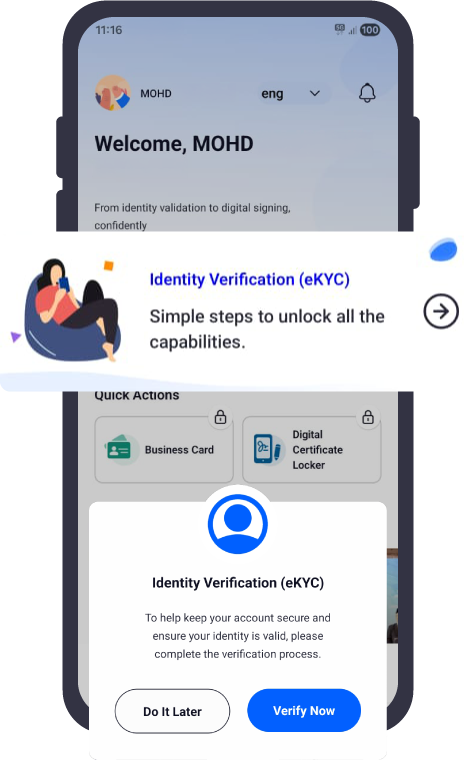
Step 1: Open Identity Verification
Open the iDsaya application
Select “Identity Verification”
The verification pop-up will appear
Click “Verify Now”
Step 2: Select Identity Document Type
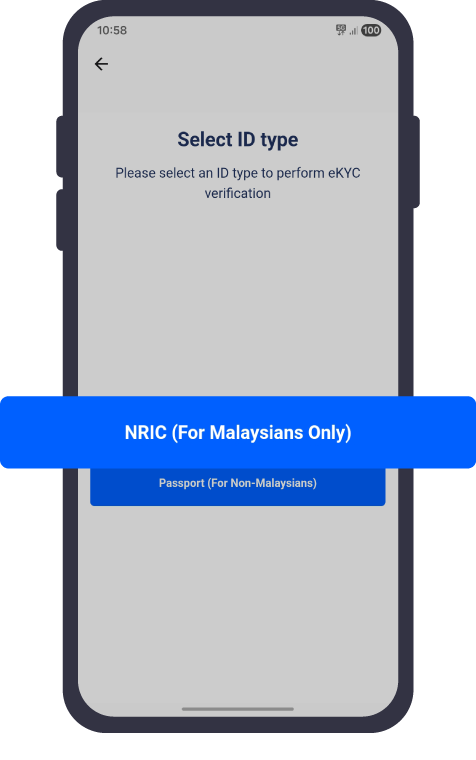
Choose your identification type:
Malaysian User: Select NRIC (MyKad)
Non-Malaysian User: Select Passport
Note:
Selecting “Do It Later” will close the process and your identity verification will not be completed.
Step 3: Capture Your Identity Document
For successful verification:
For MyKad Users
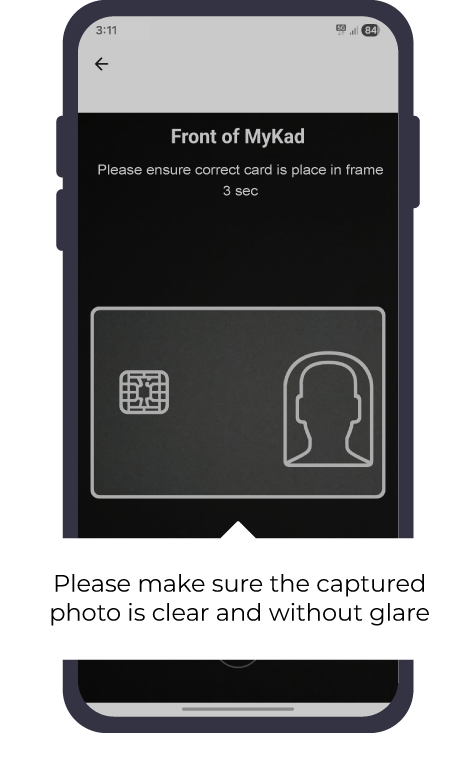
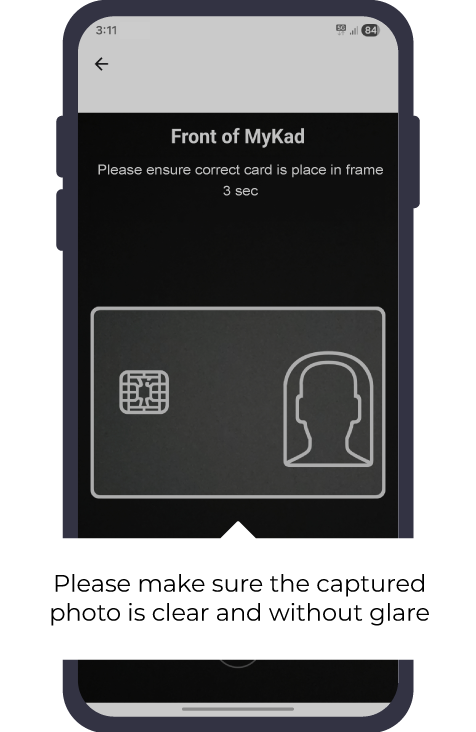
Step 1: Capture Front Side
Place your MyKad inside the camera frame
Ensure:
Entire card is visible
Text is readable
Image is clear. No Blur
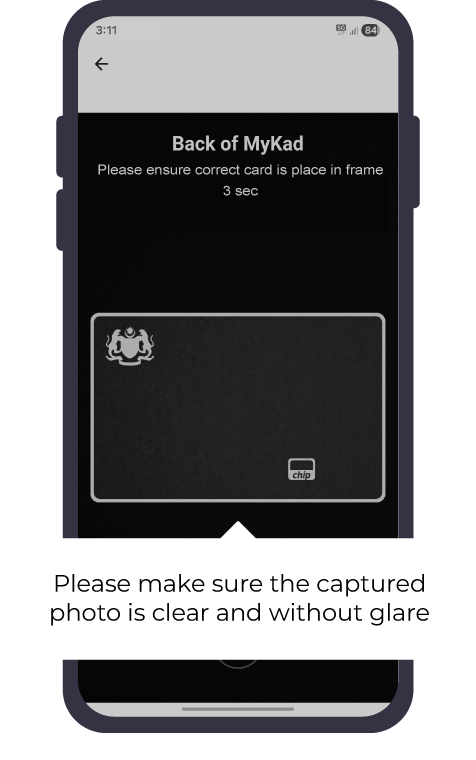
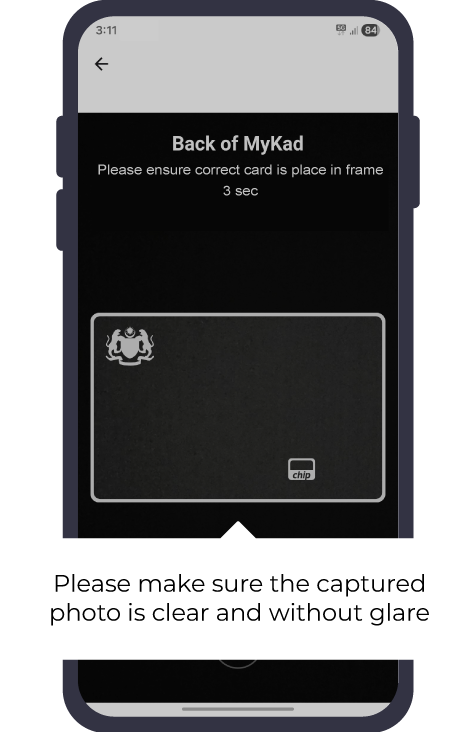
Step 2: Capture Back Side
Turn your MyKad over
Place it inside the frame
Capture the image
For Passport Users
Open your passport information page
Place it inside the camera frame
Ensure all details are visible
Capture the image
Step 4: Facial Verification (Selfie)
Facial Verification Requirements
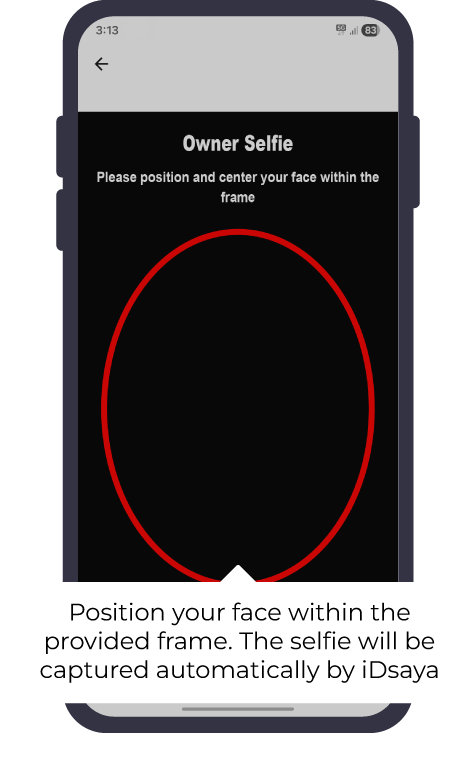
Position Your Face
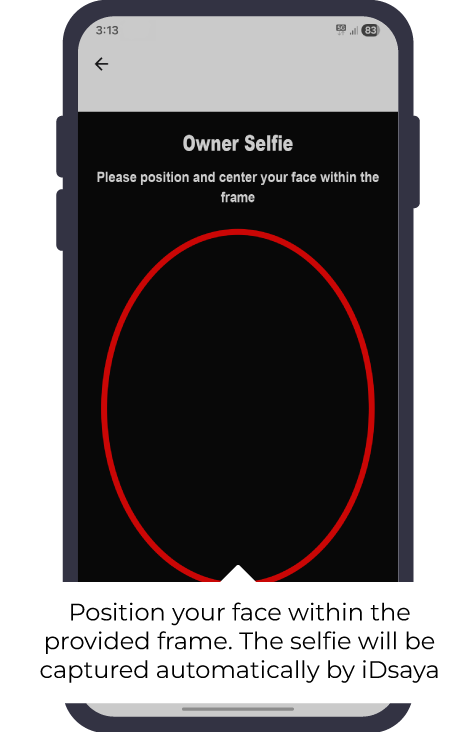
Place your face inside the provided frame
Look directly at the camera
Keep your face clearly visible
The selfie will be captured automatically by iDsaya.
Step 5: Verification Completed

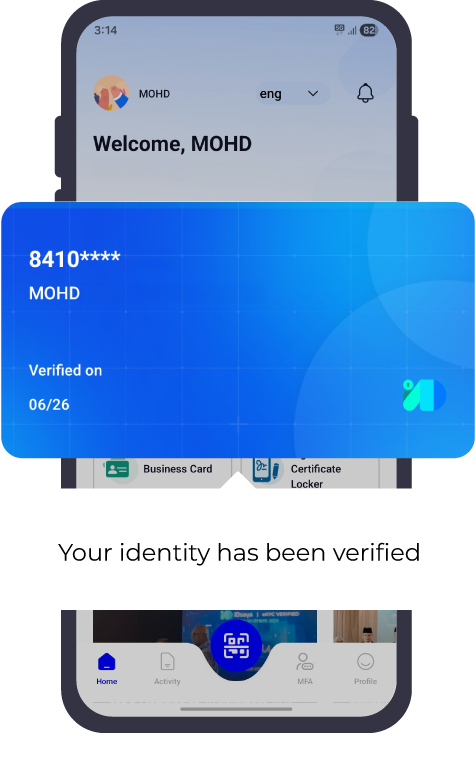
Once verification is successful:
Your identity will be verified
Continue using iDsaya services
If Identity Verification Failed
MyKad Verification Fail
After 3 failed attempts
User will proceed to Manual Identity Verification
Passport Verification Fail
Manual verification is required
Step 1: Select Identity Document Type
Choose your identification type:
Malaysian User: Select NRIC (MyKad)
Non-Malaysian User: Select Passport
Step 2: Capture Your Identity Document
For MyKad Users
Capture Front Side
Capture Back Side
For Passport
Passport information page photo
Step 3: Selfie Capture
Take a selfie photo.
Step 4: Selfie Video
Record a 4-second selfie video

Step 5: Confirm Details
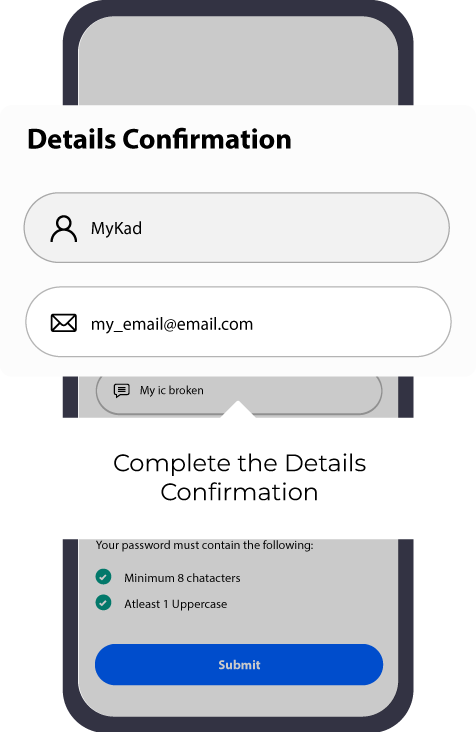
Review your details
Complete the Details Confirmation
Click “Submit”
Step 6: Create iDsaya PIN
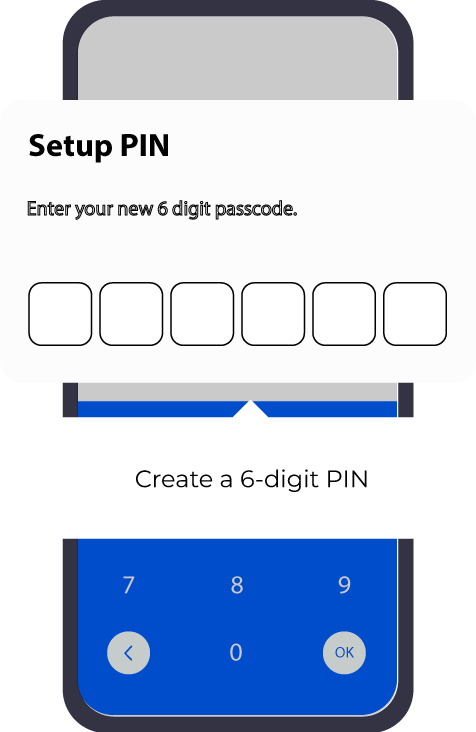
Create a 6-digit PIN
Re-enter PIN for confirmation
Save your username shown by iDsaya
This PIN will be used when returning to iDsaya from another application.
Need further assistance?
If your question isn’t covered here, feel free to contact our support team.
support@idsaya.my