Step 1
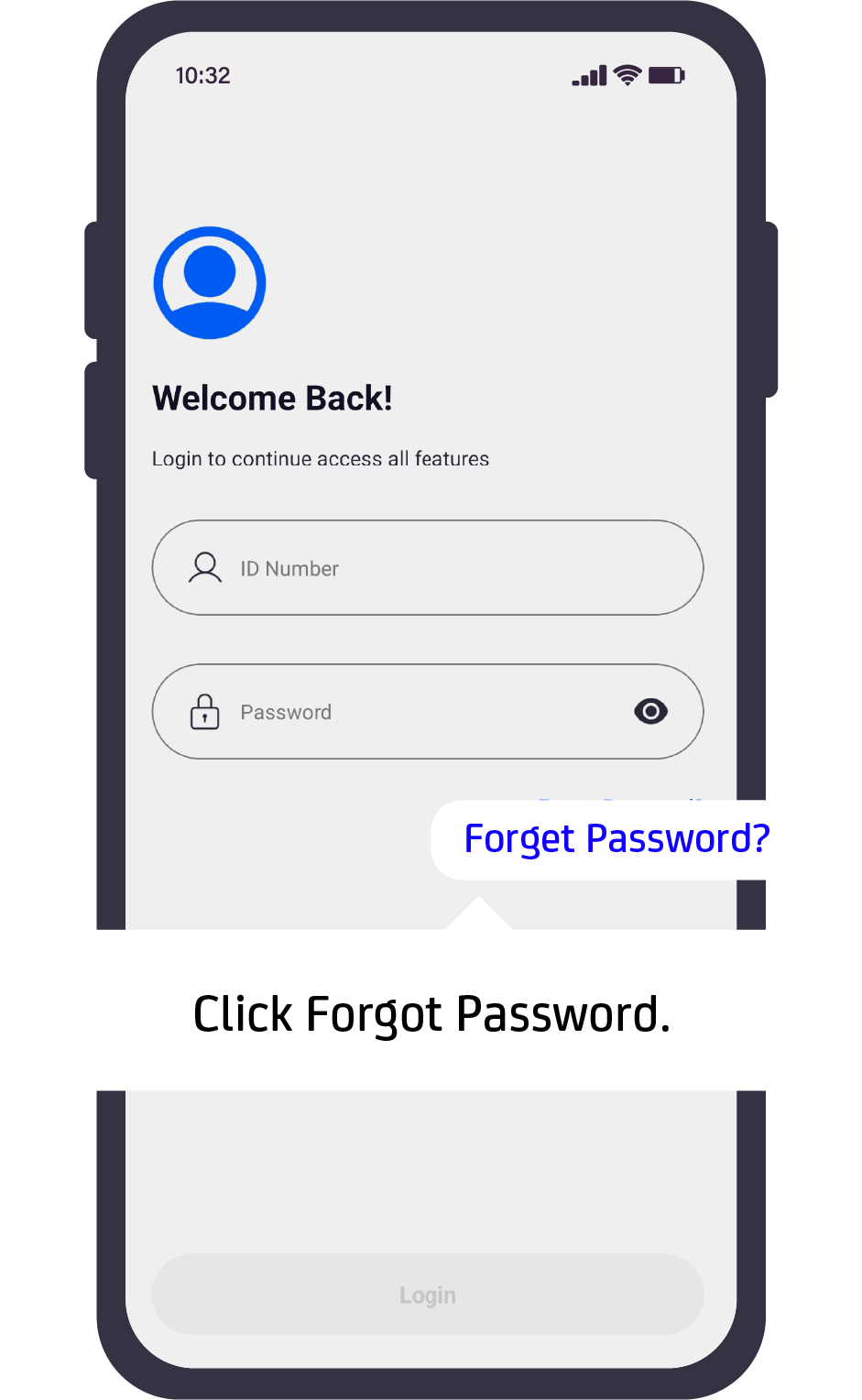
On the login page, click Forgot Password.
Step 2
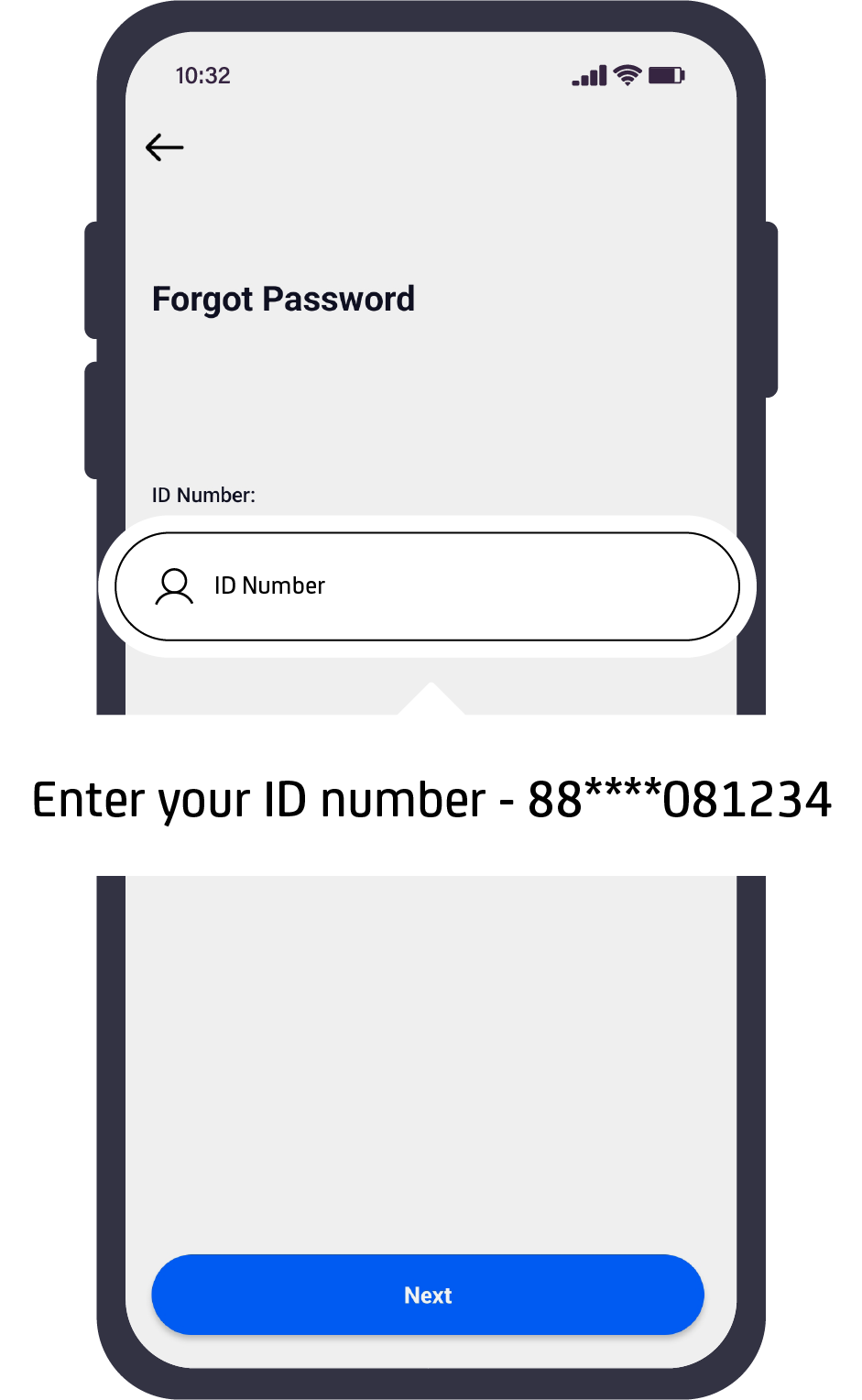
Enter your ID number and click Next.
Step 3
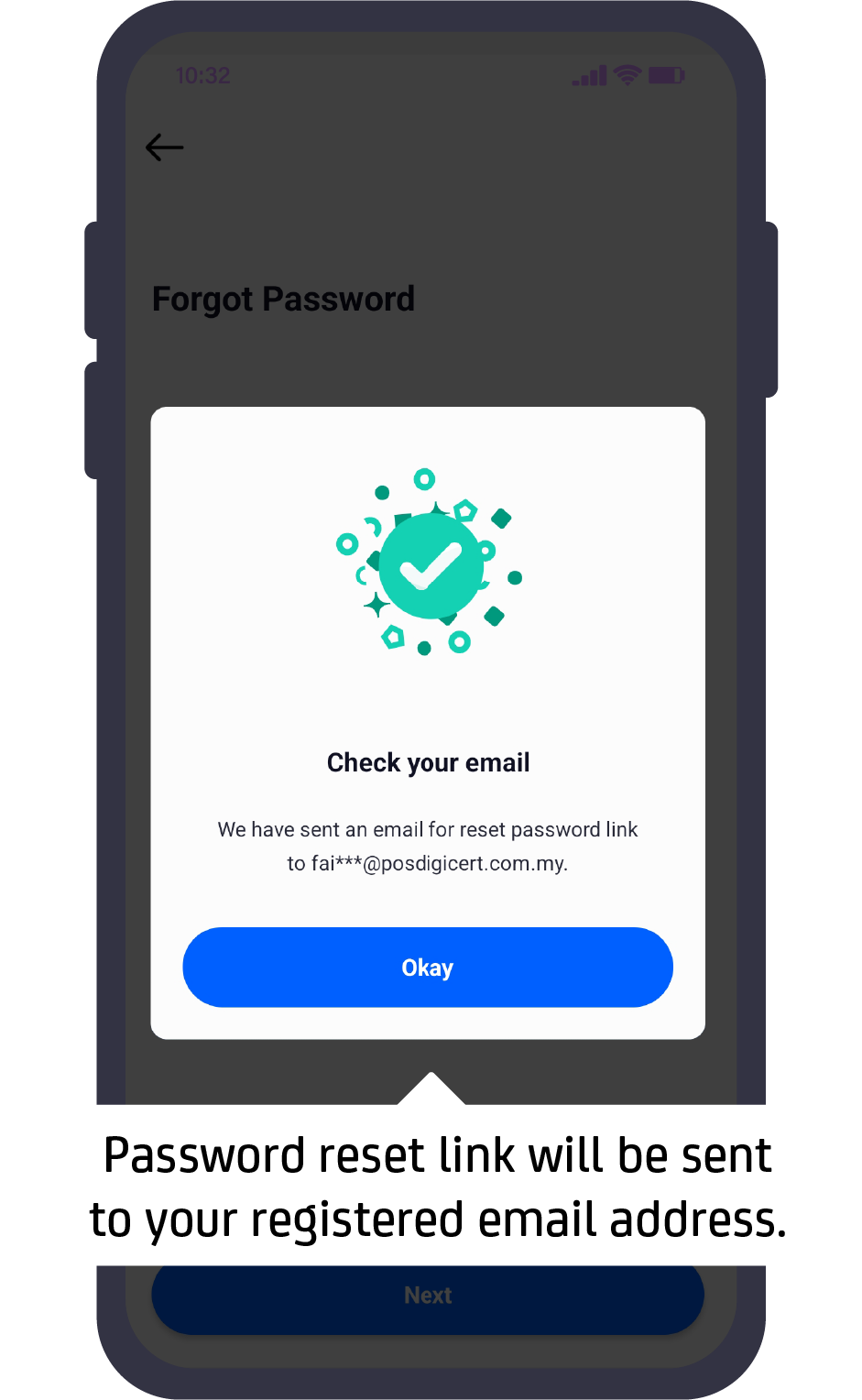
A password reset link will be sent to your registered email address.
Step 4
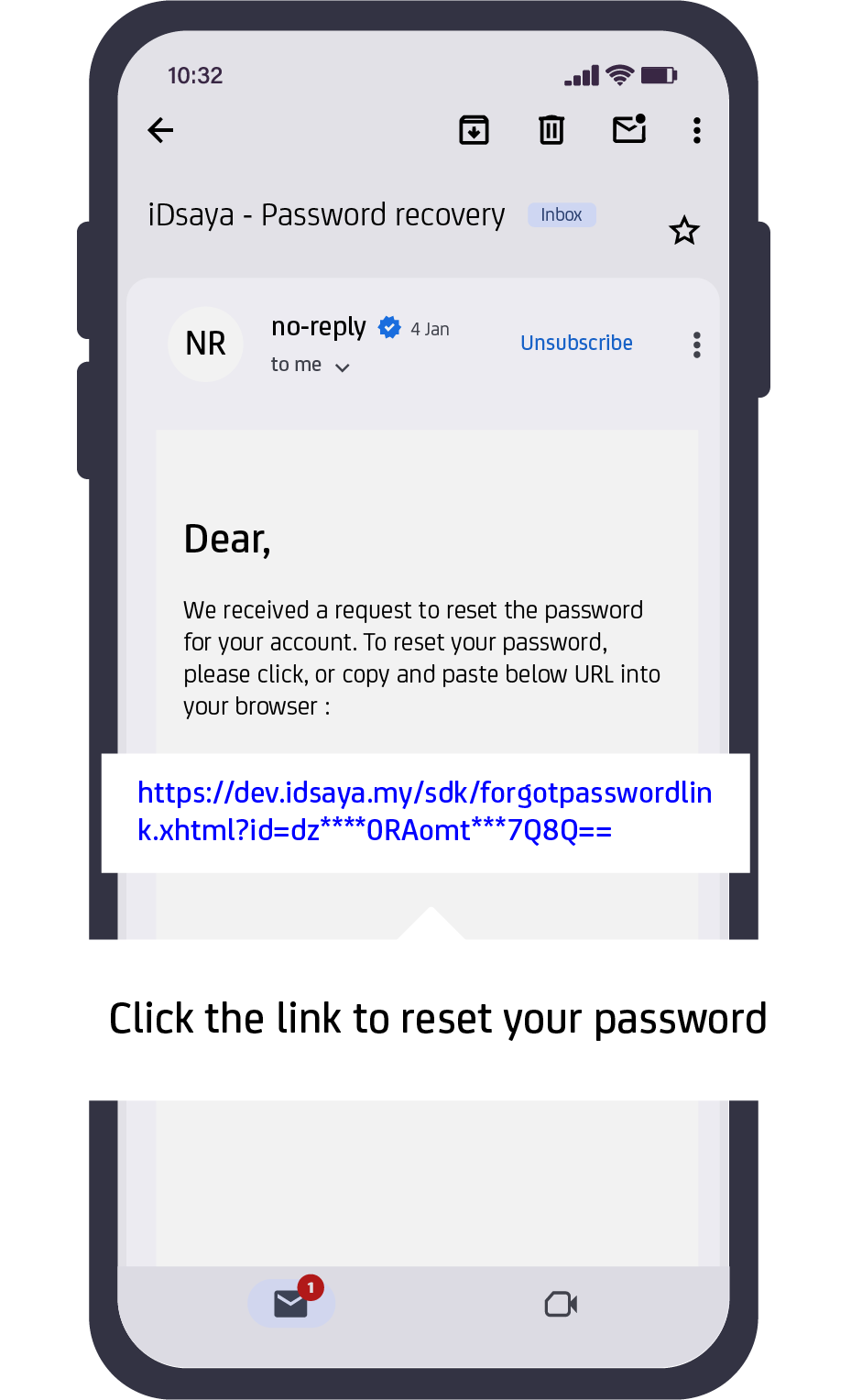
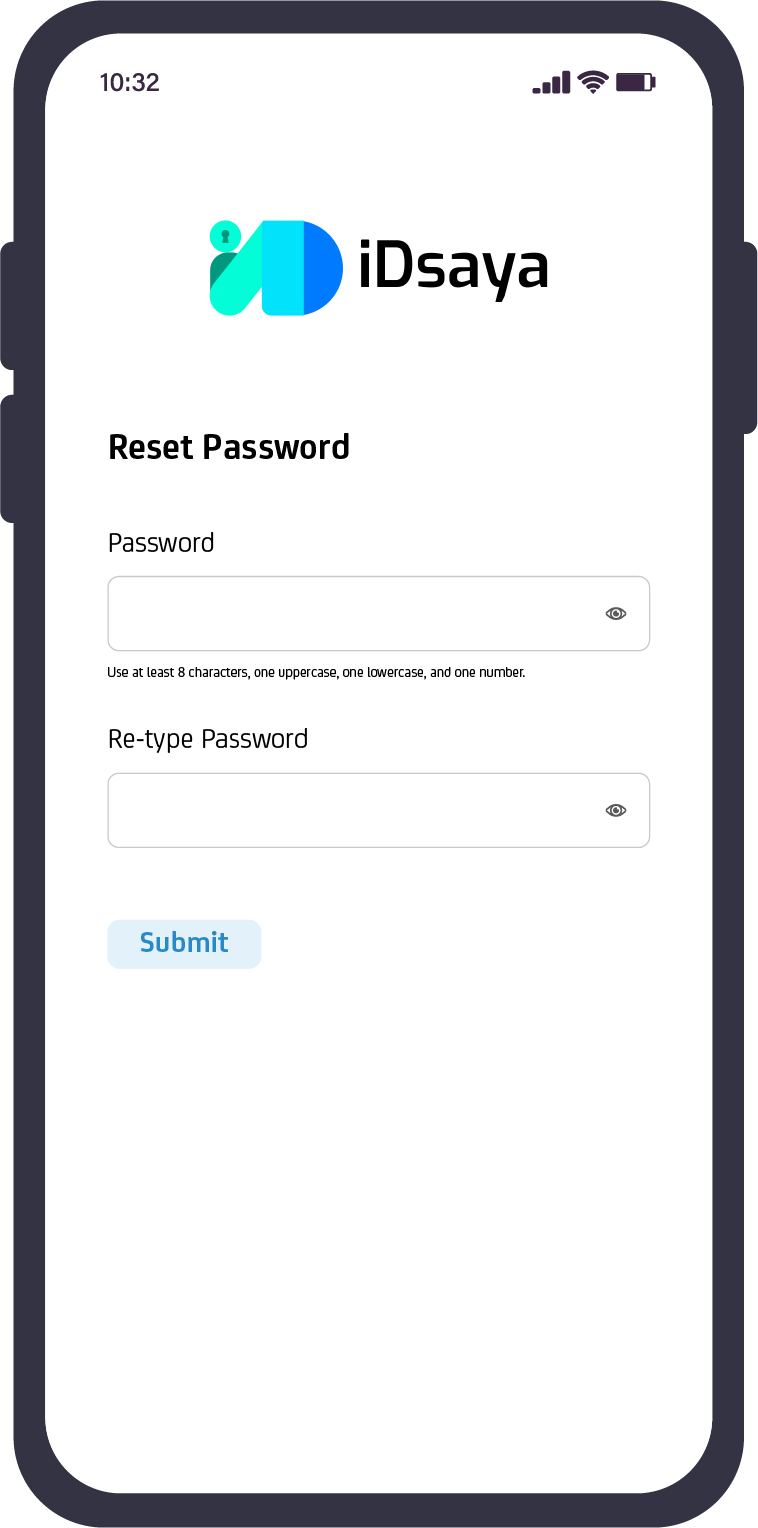
Click the link to open the reset password portal.
Step 5
Enter and confirm your new password, then click Submit.
Need further assistance?
If your question isn’t covered here, feel free to contact our support team.
support@idsaya.my